Stream as anyone, instantly.

Real-time video generation. Real-time character swap.

See yourself transform into anyone—live.

Try Live Now
Try Live Now

What is Viggle LIVE?

Viggle LIVE is a real-time video generation tool that animates any character image using your webcam. Just upload a single image — no 3D modeling, rigging, or animation skills required. Viggle LIVE instantly maps your facial expressions and movements onto the character, making it perfect for livestreams, memes, and virtual performances.

Try Live For Free

How to Use Viggle LIVE

How to Use Viggle LIVE
Step 1

Sign up for a Viggle account

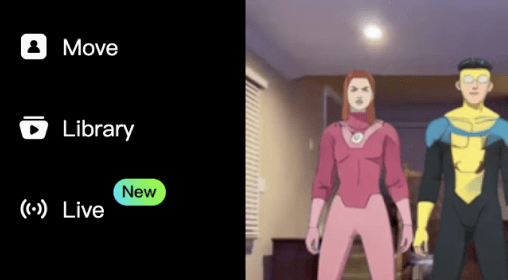
Find the Live feature in the left menu, or click here to get started.
Sign up for a Viggle account
Step 2

Upload a character image, or select one
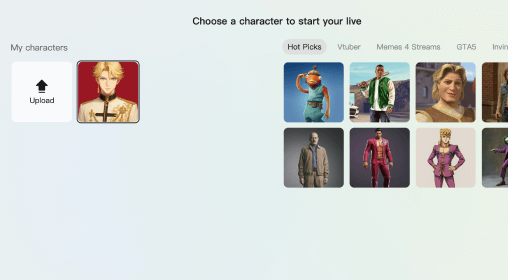
Use HD images of human-shaped characters for the best results.
Upload a character image, or select one
Step 3

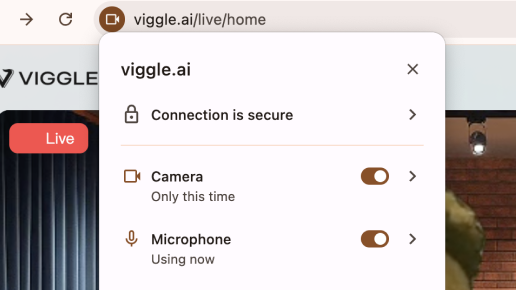
Allow camera and mic use and start

Start your free trial and enable your camera and microphone. Your real-time video generation will show up in seconds.
Allow camera and mic use and start
Step 4

Livestream, switch characters and backgrounds, or record

Once you're in, explore different backgrounds and characters. Connect Viggle LIVE to your stream account to go live, or record your real-time animation for later use.
Livestream, switch characters and backgrounds, or record

What You Can Create With Viggle LIVE

01

Livestream as anyone – No Rigging Needed

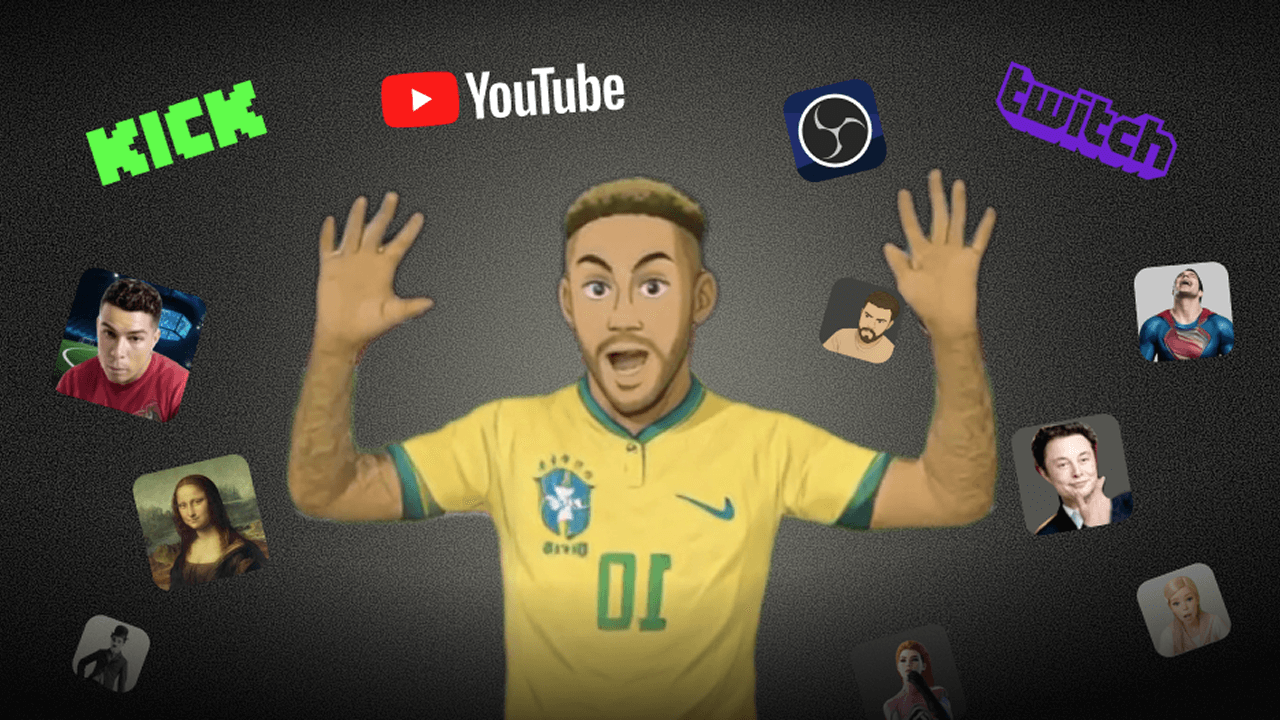
Easily transform into any character during your livestream—no rigging or 3D modeling required. Just upload an image, turn on your webcam, and animate your avatar in real time. You can connect Viggle LIVE to your streaming platform using OBS or other virtual camera-compatible tools. Check this tutorial video for a guide.

Get Started
arrow-right
meme-image

02

Real-time motion capture, character swap and previs

Use Viggle LIVE for quick previsualization or experimenting with different characters on the fly. Its real-time motion capture tracks your facial expressions and whole body movement using just a webcam—no suits, markers required. Your motion is instantly applied to the character. Ideal for creators and directors to prototype ideas fast.

Get Started
arrow-right
03

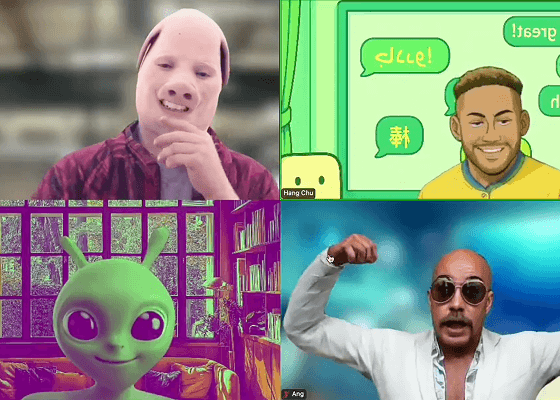
Join Zoom meetings as your AI avatar

Add a creative twist to video calls by showing up as your animated character in real time. Whether it's for fun, privacy, or content, Viggle LIVE works seamlessly with virtual conferencing tools.
Get Started
arrow-right
meme-image

How Streamers Are Using Viggle LIVE

Feedback From Vtubers, Streamers, and Content Creators

Trey Brown
Trey Brown
Twitch variety streamer
5 stars
It's a great way to engage with your chat. They'll name someone random, and I just switch into that character on the spot. Makes the whole stream way more fun and unpredictable.
Ray Tanaka
Ray Tanaka
Gamer and Streamer
5 stars
Didn't feel like showing my face when I stream gameplay, so I threw an image of my favorite game character into Viggle LIVE. Ten seconds later, I had him talking and doing my reactions while I play games! Peak laziness. I'm in.
Jules
Jules
OC Creator
5 stars
I uploaded a image of my OC, didn't expect anything… but it turned out pretty good! Feel like my character came to life.
Toby
Toby
Prank Streamer / Omegle Creator
5 stars
I'm an Omegle streamer, and recently I started using Viggle LIVE in my calls — it was hilarious. I swapped through a bunch of different faces, and watching people on the other side get totally confused or shocked was gold. My chat completely lost it.
Tyrese Campbell
Tyrese Campbell
Animator and Motion Designer
5 stars
I run a small studio, and we've been using Viggle LIVE for quick real-time mocap and previs. All we need is a webcam and our character images. It's fast, scrappy, and gets the job done when we need quick motion tests.
Paul R. Zhang
Paul R. Zhang
Vtuber
5 stars
I looked into starting as a VTuber last year and gave up halfway — you need character design, rigging, face tracking software… the whole process was a lot. Recently I tried Viggle LIVE. I literally just uploaded a single drawing of my character, and it started moving with my face instantly. It even tracks body motion. The effect isn't perfect yet, but it's more than enough for what I need.

Frequently Asked Question

Why Choose Viggle LIVE?

For creators, Viggle LIVE lets you animate any character in real time using just a webcam and a single image—no 3D modeling, mocap suits, or Live2D rigging required. It's built for those who want to move fast, stay flexible, and bring characters to life with minimal setup and maximum creativity.
For streamers, Viggle LIVE works seamlessly with popular broadcasting tools and platforms like OBS, Streamlabs, Kick, Twitch, Zoom, Discord, and more. Whether you're a VTuber, livestreamer, educator, or digital performer, Viggle LIVE makes real-time animation simple, accessible, and ready for any audience. Check this blog for more guide.

What is a Vtuber?

A Vtuber (short for "Virtual YouTuber") is a content creator who uses an animated avatar—often anime-style—controlled by face and motion tracking. They stream, post videos, and interact with fans as their virtual persona instead of using a face cam.

Can I become a Vtuber using Viggle LIVE?

To livestream with Viggle LIVE, first upload or select your character image. Then, open OBS, go to Settings → Stream, and connect to your preferred platform such as YouTube, Twitch. Add a Browser source in OBS and paste the Viggle LIVE URL. Next, add an Audio Input Capture source, go to Advanced Audio Properties, and set the Sync Offset to 1500ms-2500ms to adjust voice latency. Finally, click Start Streaming to go live with your animated character. Watch this blog article for a step-by-step guide.

Is there latency in Viggle LIVE?

Viggle LIVE currently has a 1–2 second delay between your motion and the animated output. This small lag is expected with AI-based video generation, and we're continuously working to improve performance and responsiveness. For most streaming and content creation use cases, it still delivers a smooth and engaging experience.

How to livestream with Viggle LIVE?

Yes! Viggle LIVE is a great starting point for anyone interested in VTubing—no technical setup or 3D rigging required. Just upload a single image of your character, turn on your webcam, and start performing. Your avatar will mirror your facial expressions, lip sync, and body movements in real time, making it easy to stream as your character. Viggle LIVE removes the usual barriers of traditional VTubing, like complex modeling, expensive software, and long setup times—so you can jump straight into the fun. Check out our tutorial video for step-by-step instructions on how to VTube with Viggle LIVE.

How much does Viggle LIVE cost?

Free
Get 5–10 minutes of Viggle LIVE every day. Free trials refresh daily.
$24.99/mo
Enjoy 133 minutes of Viggle LIVE usage with our Live Plan each month.
$79.99/mo
Unlock 800 minutes of usage with the Live Max Plan—great for streamers and frequent creators.