
Free Face SwapVideo Generator

Viggle makes it easy to swap faces into any scene — from cinematic moments to meme-worthy madness. Just upload a photo, upload a video, or pick a template, and create lifelike face swaps that move, emote, and entertain.

40M+ Users4.8★ Rating on App Store

How To Make A Face Swap Video With Viggle

Making a face swap video with Viggle is fast, easy, and fun. Just upload a face photo and either select from over 8,000 video templates or upload your own clip. Signed-in users can generate up to 5 free videos per day.

Step 1
Upload video, or select a template

Upload video, or select a template

Go to 'Mix', choose a trending video or upload your own to swap faces.

Step 2
Upload face photo

Upload face photo

Upload a selfie or any clear image of the person you want to insert into the video.

Step 3
AI generates face-swapped video

AI generates face-swapped video

Watch the transformation! Download your video and share it to go viral on TikTok, Instagram, or anywhere you like.

INTERACTIVE PREVIEW
LIVE

Make Your Face Swap AI Video

Choose a character, see the swap — then use your own photo in the app.

I Just Hit the Jackpot
Steve's Lava Chicken

Want to use your own photo?

Try With Your Photo

Viggle AI Face Swap Is Different

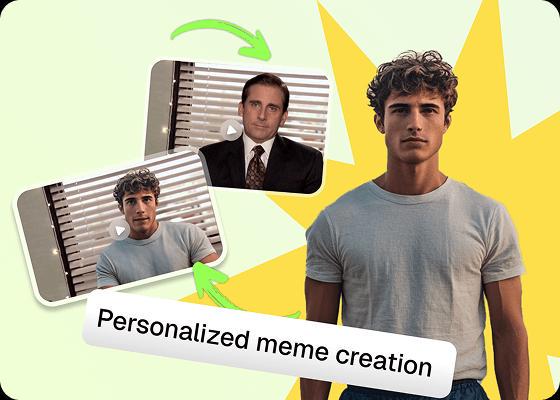
Super simple 3-click face swapping process

All it takes is one image and a video — or choose from our ready-to-use templates. Generate a high-quality face-swapped video in under a minute. Sign up to get more free videos daily.
Super simple 3-click face swapping process

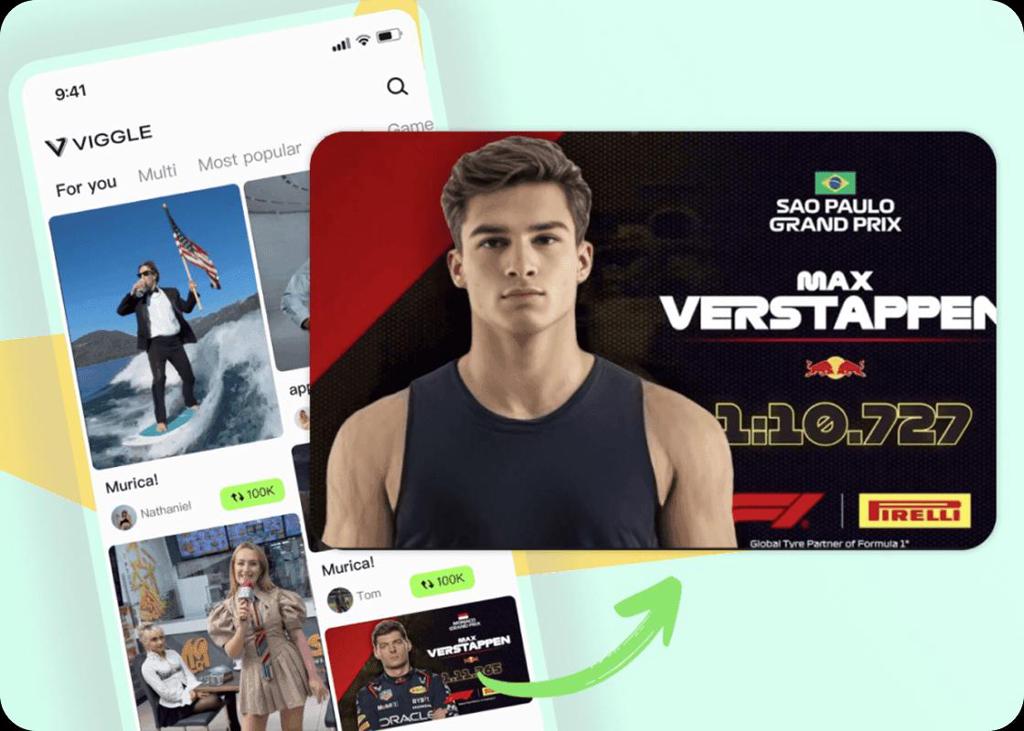
8000+ free video templates

With over 8,000 templates, face swapping has never been easier. Our massive collection includes sports highlights (NBA, football, F1), dance trends, K-pop, drama, memes, brainrot, and more. Whether you're remixing a viral scene or adding yourself to a classic movie shot, there's a template for every mood.
8000+ free video templates

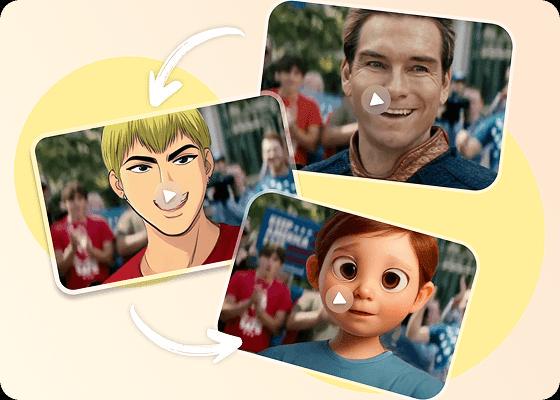
Swap both face and body for extra fun

Viggle doesn't just swap faces — it swaps full-body motion too. Millions of users have dropped themselves into scenes like Olympic gold wins, NBA dunks, or hilarious memes. It's perfect for fandom edits, dramatic reenactments, or just becoming your favorite character. The result? Extra fun with extra realism.
Swap both face and body for extra fun

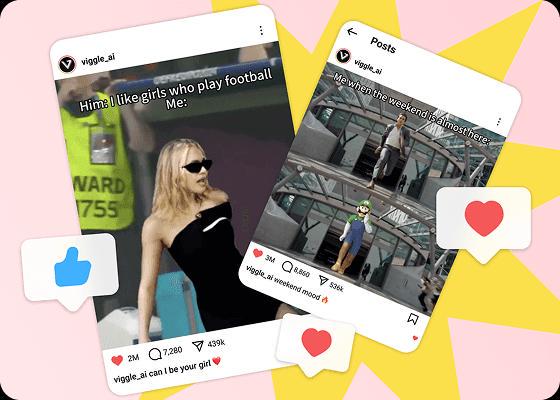
Share the fun and go viral easily

Viggle's face-swapped videos have taken over the internet. From Lil Yachty's best walkout to AI football girl, Dance if you can, Can I join trend, and more — our users are fueling trends left and right. Whether it's a meme, dance, or full-blown story edit, going viral with Viggle is easier than ever. Make your swap, hit share, and watch the likes pour in.
Share the fun and go viral easily

Find More Face Swap Templates

Paul Rudd Don't Stop Me Now
The Shining Are You Concerned About Me
Ace Ventura Alrighty then
Will I Get Over It
Just The Way You Are
Jojo Rabbit Freedom Dance

Face Swap Frequently Asked Questions

Is face swap with Viggle AI free to use?

Yes! You can try a face swap directly on this page for free. After signing up, you'll also get 5 free face swap videos per day. We want everyone to experience Viggle's core feature — no cost, no strings. Once you use your daily quota, you can upgrade to Pro, Live, or Live Max to unlock additional daily videos and premium features.

Can I swap in multiple faces in one video?

Yes, we support swapping multiple faces in a single video. You can swap up to 5 characters in one upload. The process is simple: either choose a preset multi-person video template, upload your face images, and swap, or upload any video, select and track the characters you want to swap, then upload the corresponding face photos.

Why use Viggle to create face swap videos?

Viggle isn't just another face swap app — it's powered by advanced AI that captures both facial expression and full-body motion. That means your face swap actually moves, dances, reacts, and performs like it belongs in the video. It's fast, free, and made to go viral.

Can I use Viggle face swap videos on social media?

Yes! You can share Viggle face swap videos on TikTok, Instagram, YouTube Shorts, and more. The videos are optimized for social platforms, so you can easily download and post them to go viral.

Can I do face swaps during a livestream?

Yes! Viggle has a real-time character swap feature called Viggle LIVE, which is perfect for livestreaming. You can become your favorite character or meme live on Twitch, Discord, Kick, YouTube, or any other platform that supports livestreaming. Sign up to try LIVE for free and see yourself transforming into anyone in real time!

What makes Viggle face swap different from other tools?

Most face swap tools paste a 2D face onto video frames — which looks off when the head turns or the body moves fast. Viggle uses JST-1, a video-3D foundation model, to do a full identity swap: your face, head shape, expressions, and full-body motion are mapped frame by frame. The result preserves natural head turns, subtle expressions, and even hair movement. That's why Viggle face swaps look like the person actually belongs in the scene.

What devices can I use Viggle face swap on?

Viggle is available on web (viggle.ai), iOS, and Android. Your account syncs across devices — start a face swap on your phone during lunch and download the result from your laptop later. The mobile apps support the full face swap workflow including template browsing, photo upload, and video generation.

Do I need video editing skills to make a face swap?

Not at all. The whole process is three clicks: pick a template (or upload your own video), upload a face photo, and hit generate. Viggle handles the motion mapping, lighting, and expression matching automatically. Your face swap video is ready in under a minute.

Ready to swap faces?

Try Viggle Free

Create Face Swap Videos
that go viral

Swap faces into any scene with full-body motion. Free to use, no credit card required to start.